Download the CSV
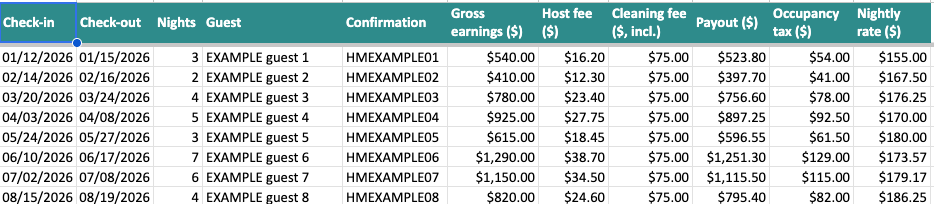
On airbnb.com: Transaction history, then Gross earnings, then Download CSV. One file per year.


Simple Excel and Google Sheets tools for Airbnb hosts with a single rental. Paste the CSV Airbnb gives you and see what you really earned.
Check your profit, freeTracker $24 Welcome book $14 Excel and Google Sheets



Three numbers from your Airbnb account. This is the free Profit Snapshot, in miniature: the sheet does the same for each month.
$785
net profit for the year
$17profit per booked night
13%of the year booked
Your average guest pays $188 a night, and you keep $17 of it. The full sheet shows which months pull it down.
Email me the free sheet
The tracker reads Airbnb's own earnings export and hands back what one-property hosts ask for: profit by month, nights, nightly rate, and the lines for Schedule E.
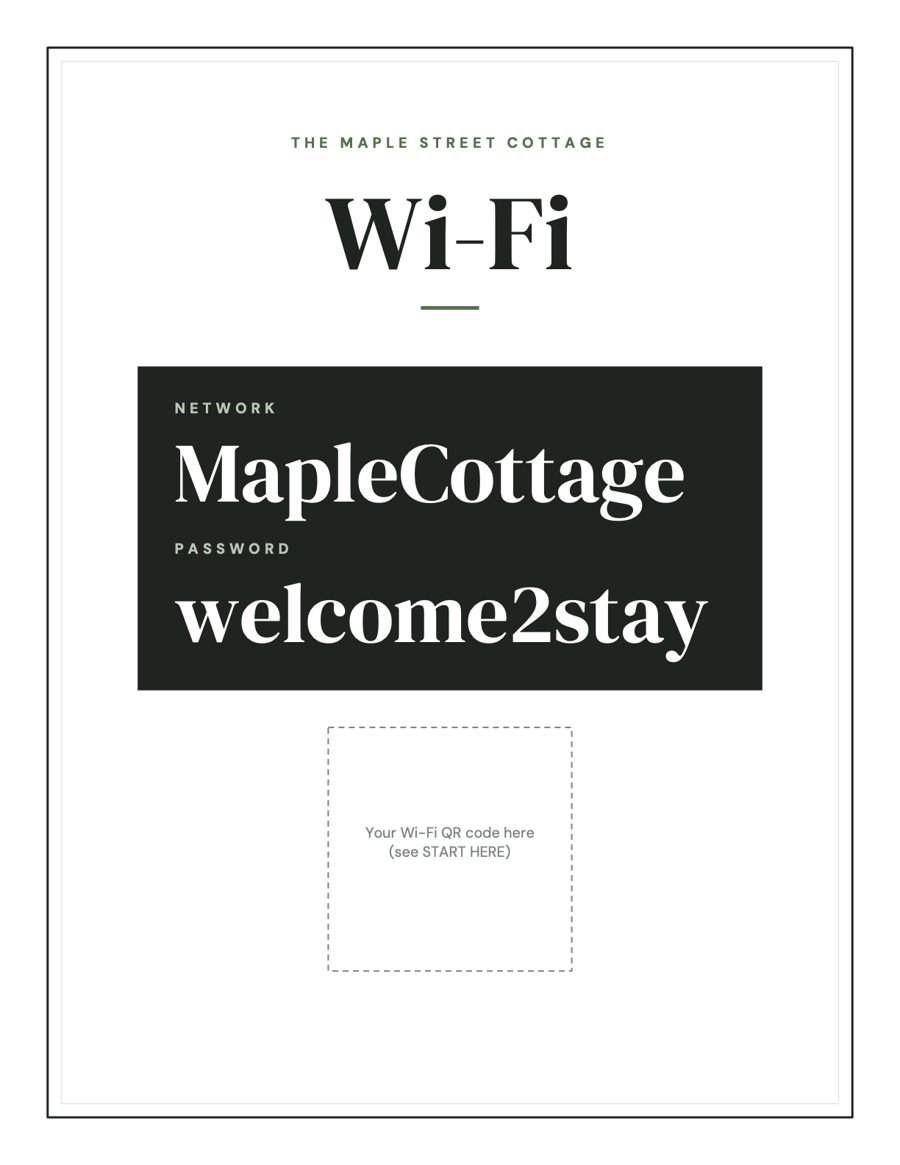
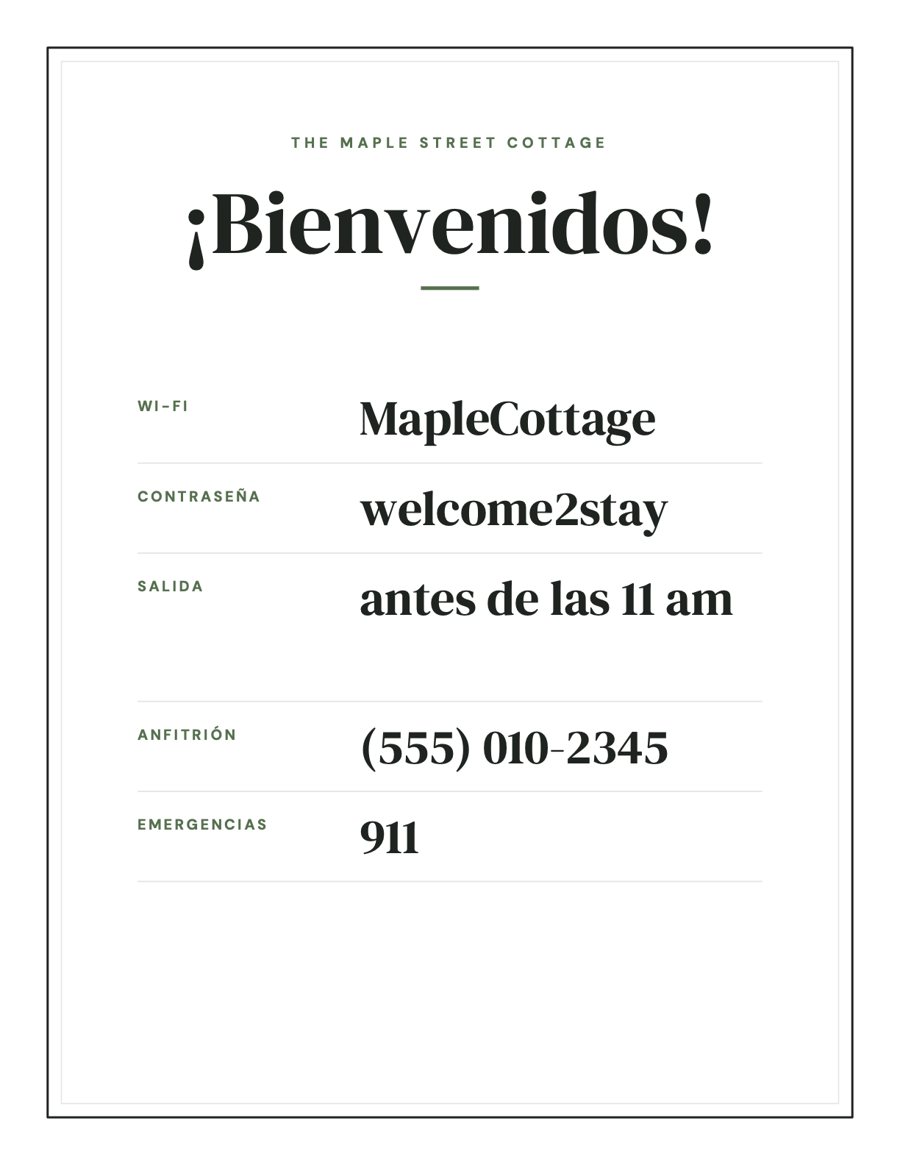
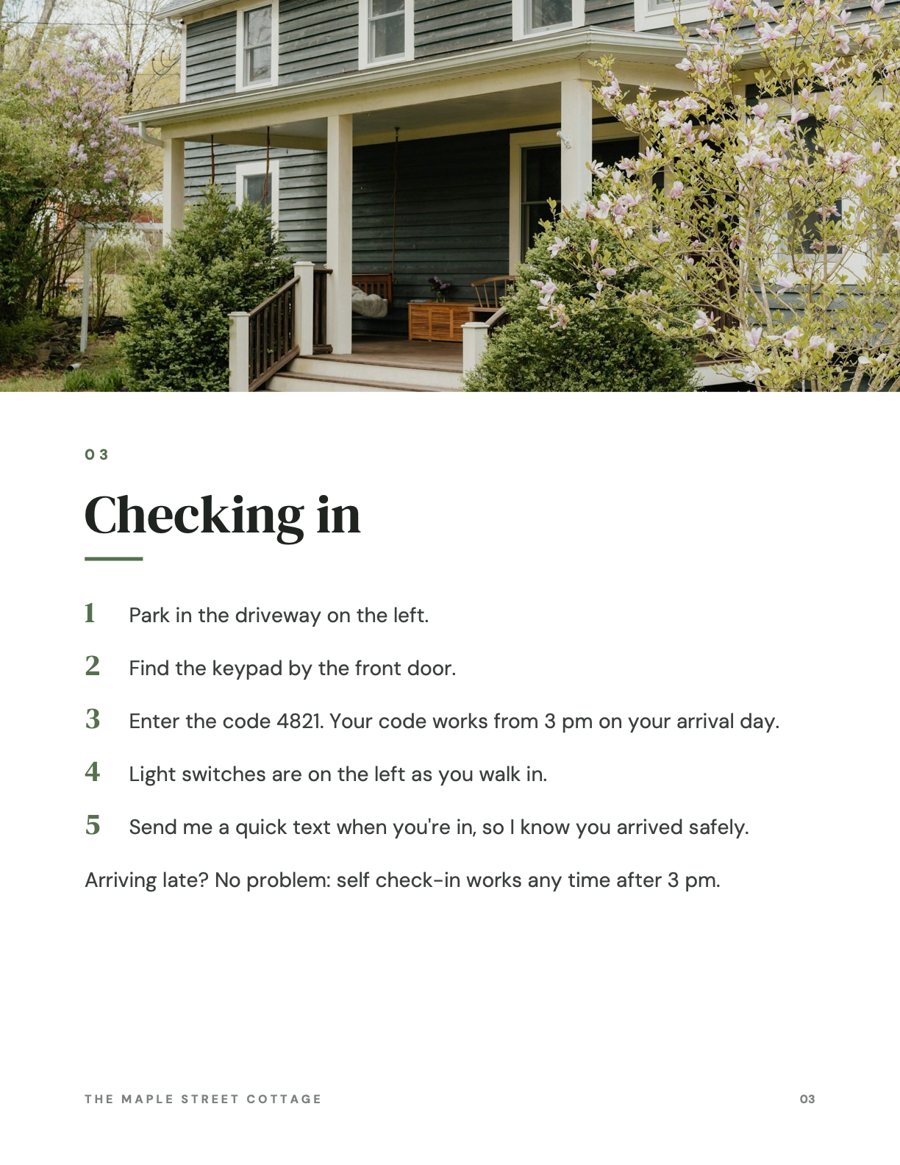
The welcome book hands your guests the answers before they message you, in English and Spanish.
On airbnb.com: Transaction history, then Gross earnings, then Download CSV. One file per year.
Paste into the Airbnb Import tab. Reservations, fees and nights sort themselves into Bookings.
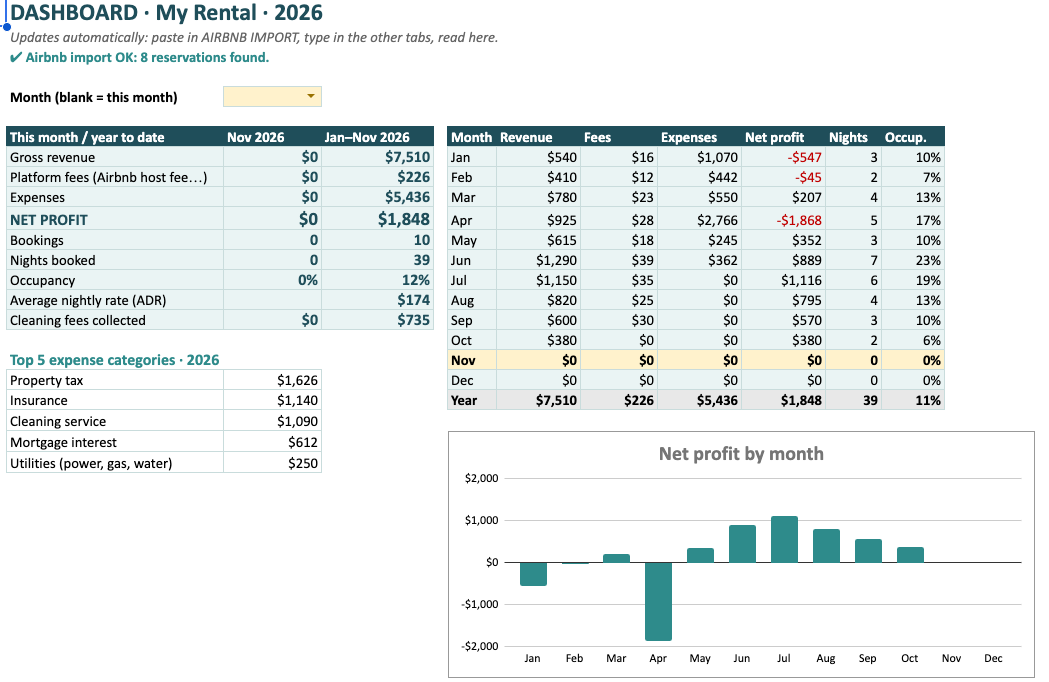
The dashboard: this month, the year so far, twelve months side by side, and a chart of profit.
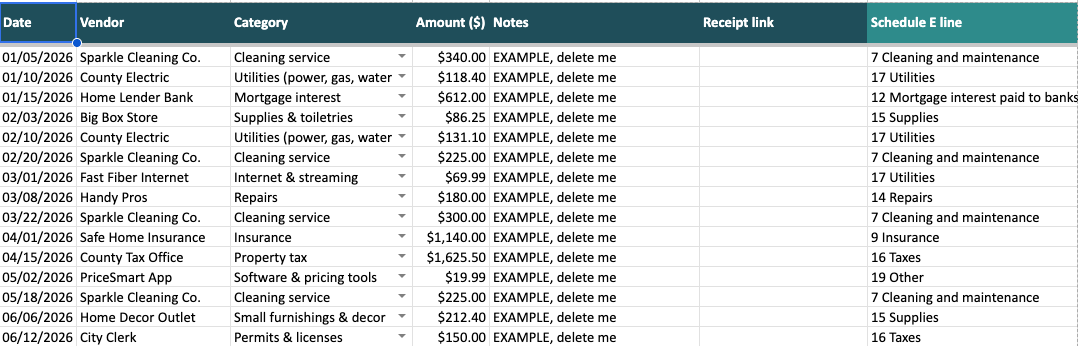
One row per cost. Pick a category and its Schedule E line fills in for you.
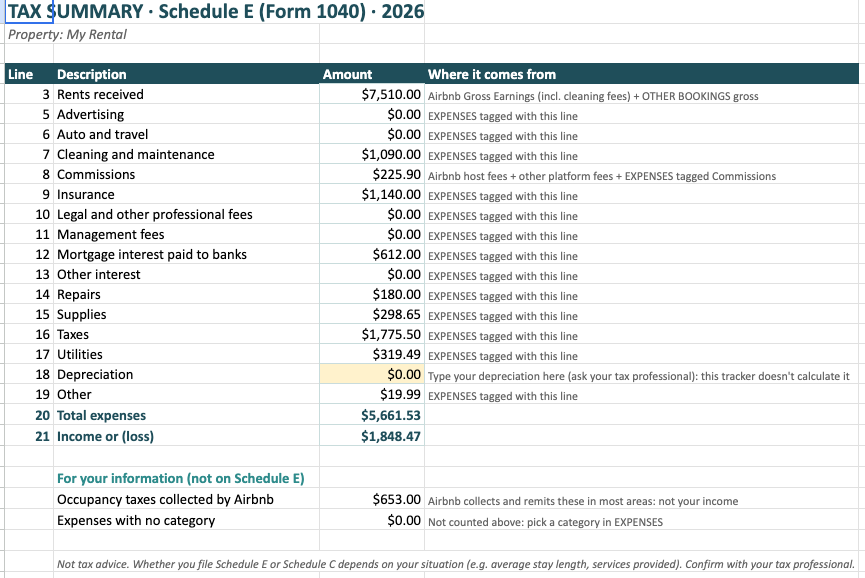
Every line, with where each number came from. Your accountant gets a page, not a shoebox.
Already written. Fill the yellow fields in Canva or Google Docs, print it or share the link.

Wi-Fi, house rules, checkout and a welcome sign, each also in Spanish.
Change the year in Settings. Every table resets. Nothing is hard-coded to one year.
Excel or Google Sheets? Both. The files are .xlsx; in Google Drive open them, then File, Save as Google Sheets. Tested in Excel for Mac and in Google Sheets.
Do I need the Airbnb CSV? For the tracker, yes: it's free from Airbnb's Transaction history on a computer. The free Profit Snapshot needs no CSV, just your totals.
I have two listings. These tools are made for one property on purpose. For two, use one copy of the tracker per home.
What about VRBO or direct stays? Type them in the Other Bookings tab and they count in every total.
Will it break next year? No. Change the year in Settings and every table follows. No year is written into a formula.
Is this tax advice? No. The Tax Summary groups your numbers by Schedule E line so your tax professional can check them. Schedule C may apply to you instead.
Do I need Canva Pro? No. The welcome book imports into Canva's free plan, and there is a Google Docs version.
How do I get the files? A download link right after payment, by email and on the order page.
Can I get a refund? Yes, within 14 days if a file doesn't open or work as described. See the refund policy.
Is this made by Airbnb? No. Solo Host Co. is independent and not affiliated with Airbnb, Inc.
Before making anything, we read the reviews of the best-selling host spreadsheets. One complaint kept coming back: they were built for people with twelve listings, and a host with one spent an evening deleting tabs.
So every Solo Host Co. tool starts from one home. One property, one screen, plain words, and numbers your accountant recognises.
Another review said a tracker stopped working in January because the year was typed into the formulas. Ours change year with one cell.
If something doesn't make sense, write. A real person reads every message and answers.
Solo Host Co.
A small shop for hosts with one rental